Vibeocus
Dashboard
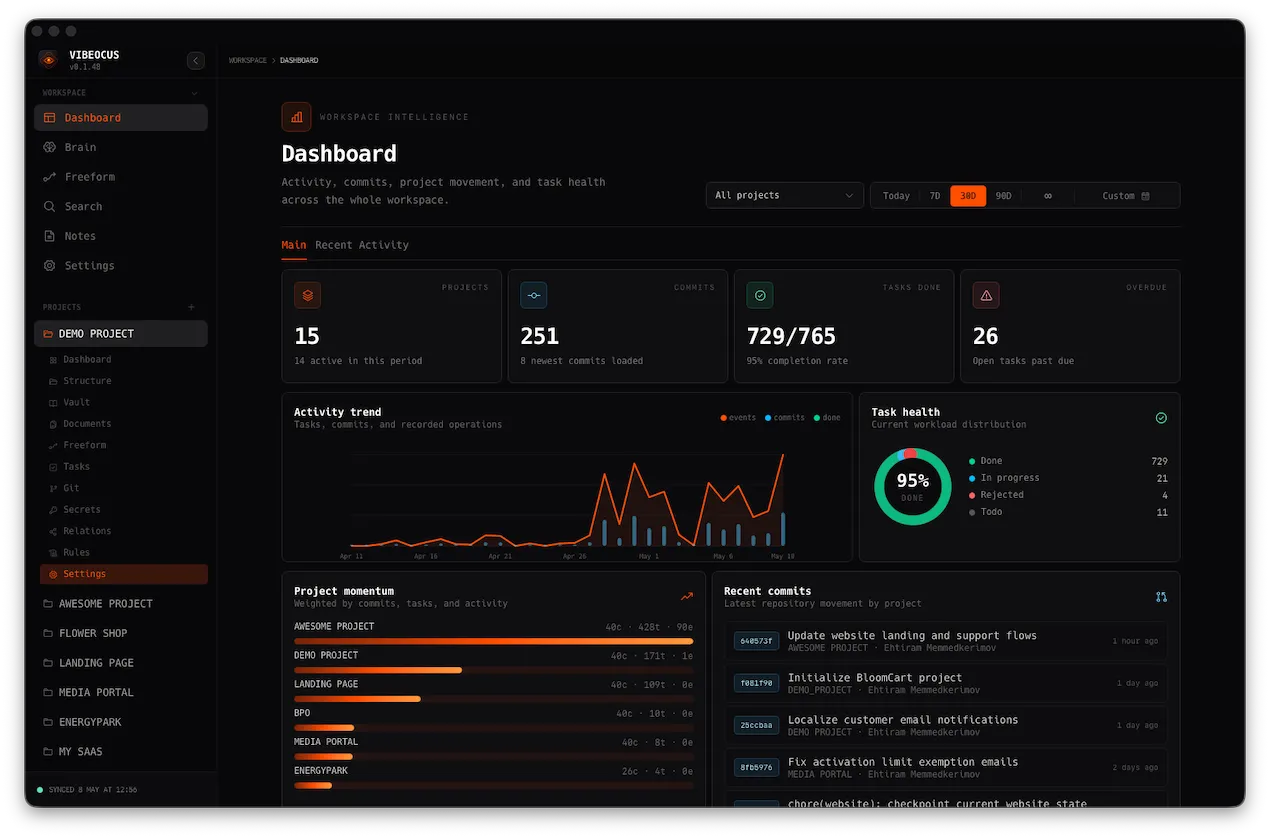
Workspace and project metrics with activity trend, task health, commits, and project momentum.
Keep tasks, rules, Markdown memory, Git activity, and agent workflows visible in one local-first Mac workspace.
Open Standards
Built on open standards. If your coding agent supports MCP, it can read rules, create tasks, and map ideas in Vibeocus.
 Codex
Codex Claude Code
 Cursor
 Gemini
 OpenCode
 DeepSeek
 Kimi
Kimi Qwen
QwenVibeocus keeps your tasks, docs, notes, vault data, commits, and agent context connected in one local-first workspace.
Your project data stays on your Mac. Sync through your own iCloud — not our servers.
Link tasks, notes, documents, Vault items, files, and commits so nothing gets lost in scattered folders.
Let AI agents create tasks through MCP and work with the right project rules, docs, and context.
Enable MCP, install the prebuilt Vibeocus skill, write your project rules, and start working with local project context — without copy-pasting everything into chat.
Turn on the local Vibeocus MCP server and choose what project data your agent can access.
Add the prebuilt skill so your agent knows how to read rules, inspect context, and create tasks inside Vibeocus.
Define how the project should be built, what to avoid, and what decisions to follow — then let your agent work with the right context.
Agents can turn implementation steps, fixes, and follow-up work into tasks with priorities, dates, and status.
A full Markdown memory layer for your docs. Connected to project vault paths, powered by SQLite, and searchable across your local workspace.
Diffs, activity logs, and branch management are always available right inside your project workspace for fast, context-aware work.
Secure storage for all secrets—passwords, server keys, tokens, and credentials—via Apple Keychain or optional iCloud Keychain. You control exactly which secrets are exposed to MCP.
Use Freeform to sketch flows, screens, logic, and project structure — or let your agent create the board through MCP. Then explore how tasks, notes, docs, Vault items, files, and commits connect in one visual graph.
Plan tasks, write rules, store docs, manage secrets, track Git activity, map ideas, sync with iCloud, and give agents the project context they need — all from one local-first app.
Workspace and project metrics with activity trend, task health, commits, and project momentum.
Kanban, list, calendar, priorities, details, due dates, activity records, and mobile snapshot access.
A project-level Markdown rules document that agents must read before doing project work.
Connect one project to one or more related projects: backend, frontend, mobile, integrations, shared clients.
React Flow boards for architecture maps, process diagrams, dependency plans, and MCP-created visual plans.
Local Markdown storage for project memory with internal links, slash commands, and graph-friendly structure.
Structured notes with progress context, decision logs, and MCP-visible entries for better agent continuity.
Upload project files, preview them, tag them, and optionally expose approved documents through MCP.
Keep credentials local and expose only selected secrets to agents when you explicitly allow it, with Apple Keychain and optional iCloud Keychain sync.
Read-only commits, branch filtering, diffs, file stats, and recent commit streams by project.
Snapshot sync for tasks, Git, notes, secrets, relations, dashboard data, mobile access, and widgets.
Install compact Vibeocus skills for Codex, OpenCode, Gemini, Claude Code, and other MCP clients.
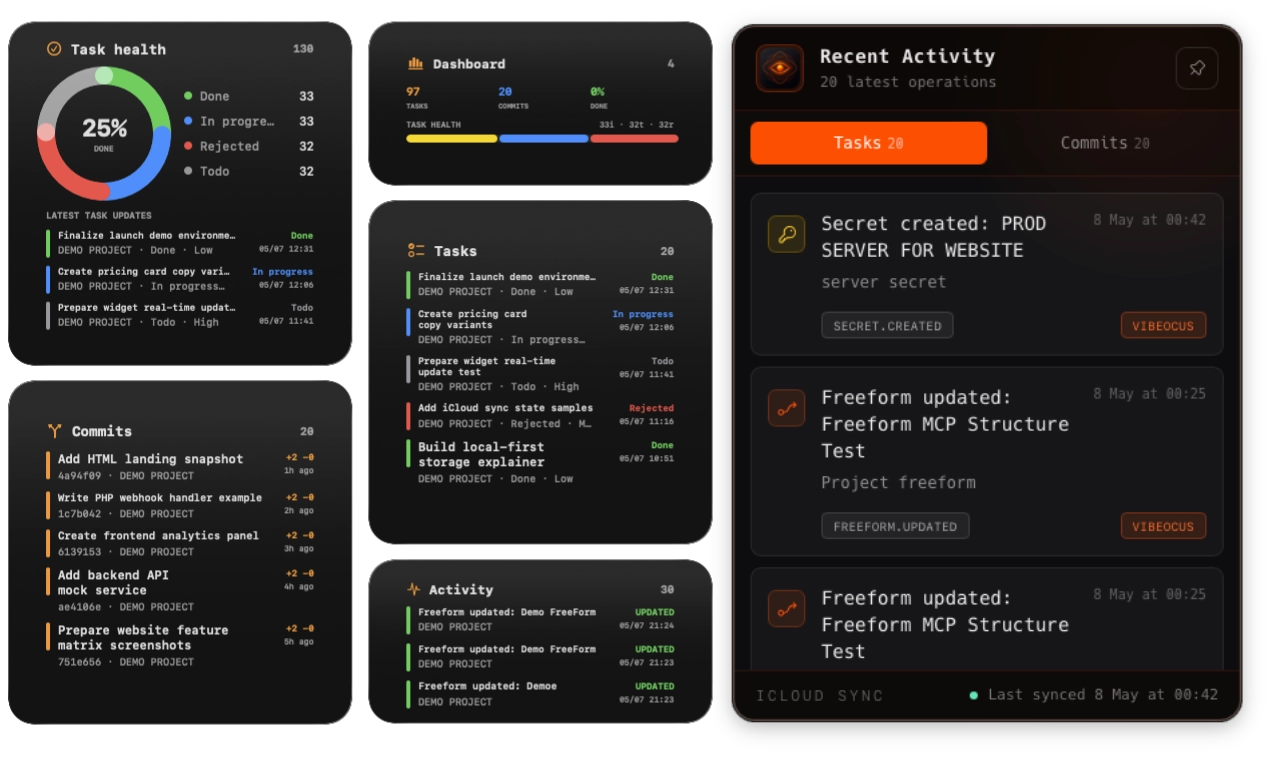
A focused desktop mix with live task health, commits, and activity in one compact surface.
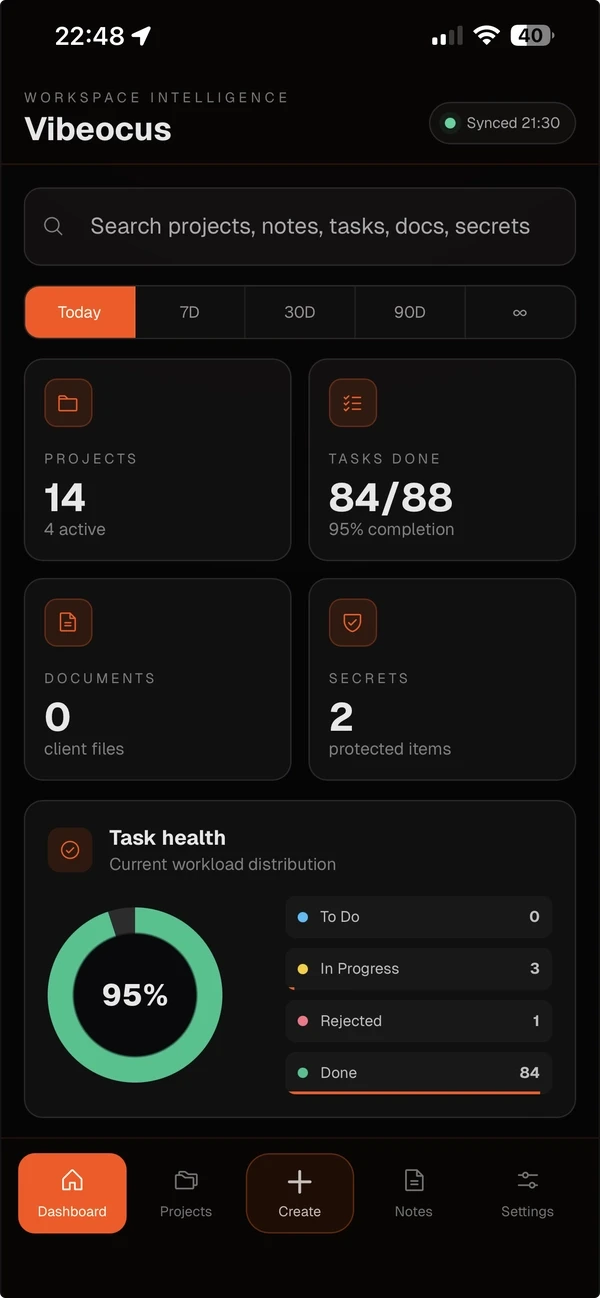
A mobile companion for checking your workspace, tasks, notes, and project status when you are away from your Mac. Your desktop app remains the source of truth, with mobile access arriving soon.
Don't let your tasks crawl across different tools. Сollect the idea, fix the task, link the dependency, and save the secret in one app.
$49.99/year
Includes 2 Macs + 1 iPhone companion app (soon).
Secure checkout. Includes two Mac activations and future mobile access.
By clicking “Buy annual license” and completing checkout, you agree to the Public Offer and License Terms and acknowledge the Privacy Policy.
macOS • iOS